A modern image editor with classic charm.
NPS Image Editor is a cross-platform multi-layer image editing program that is perfect for pixel art, screenshots, drawing, and light photo editing. It also includes a standalone color picker tool for web development!
 Download
 Download for Windows
 Download for macOS
 Download for Linux

 Try in your browser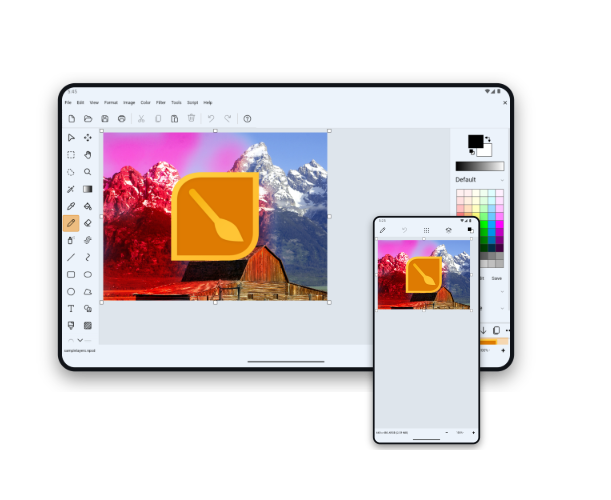
No ads. No subscriptions.
Just pure image-editing goodness.
NPS Image Editor is a completely free image editor with no strings attached. There are no distracting ads to bother you and no spyware collecting data about your usage habits. It's yours to use forever without subscriptions or mandatory internet access.
Familiar simplicity
Let's keep simple things simple! Grab the corners of the canvas to resize the image. Create a selection and move it without switching tools. Lift text off your image using the Keyed selection mode, just like the Paint you grew up with.
Impressive productivity
Use Ripple Delete to quickly remove parts of your image (instead of selecting, deleting, and then moving pixels around). Hit Print Scr at any time and then "snip" from that screenshot later, or grab a quick snip directly from the Start menu. Pan around the image using your middle mouse button no matter which tool you're using. Automate common tasks using a robust scripting language and easy-to-use script editor.
Incredible power
Work with multiple layers for non-destructive editing. Edit transparency with an alpha channel and blend layers with a plethora of blending modes. Work with animated GIFs with both global and per-frame palettes. And apply multiple filters to your image even if the image is in indexed color mode.
You are in control
NPS's user-centric design philosophy puts you first – you tell the program exactly what to do, rather than the program trying to guess what you "actually" want. Customize it with light and dark themes. Make your own brushes, templates, and palettes and then easily copy them to your other devices (or share with your friends).
Runs on all the platforms
NPS Image Editor runs on all of your devices: Windows, Mac, Linux, iPhone, iPad, and Android. You can even run a limited version in your browser without installing anything. The UI adapts to all screens small and large, portrait and landscape.
Advanced color picker for editing and development
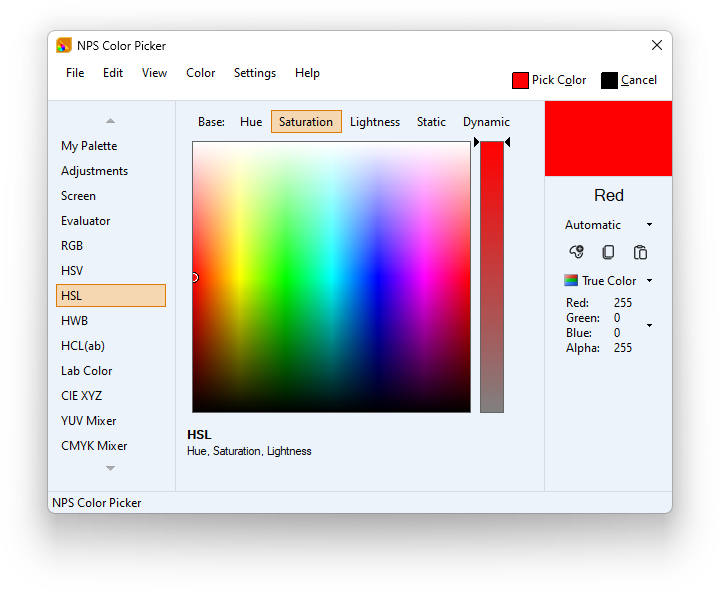
NPS Color Picker supports 20 color spaces, easy palette creation, and the ability to grab colors from anywhere your screen or even the real world via your camera (depending on platform).
The color picker can also be used on its own without needing to open the rest of the image editor (depending on platform). Quickly copy and paste colors in many common formats, or evaluate complex color expressions using the Color Resolution Engine.
When working with restricted palettes, the Color Picker adapts. Use this for indexed-color images or when intentionally restricting to a limited palette of colors for your project.